 Listicle
7 Smart Thermostat Benefits That Cut HVAC Costs
Last Updated: November 6, 2026
Quick Summary
A smart thermostat learns your schedule and adjusts heating and cooling automatically, cutting the energy your HVAC wastes on empty rooms. Nest users report saving about 15% on cooling costs and 10% to 12% on heating costs, though savings depend on a system in good working order.
- Occupancy setbacks only help if the programmed schedule matches your actual routine.
- Many units need a C-wire, so homes without one need a wiring adapter or add-a-wire kit.
- Installing a smart thermostat takes roughly 30 to 60 minutes for a compatible system.
- Check remote sensor batteries and confirm your schedule at each season change.
- Have the system professionally tuned twice a year, before cooling and heating seasons.
Table of Contents
- How a Smart Thermostat Pays for Itself
- Do Smart Thermostats Save Money? What the Numbers Show
- The Disadvantages of Smart Thermostats Nobody Warns You About
- Do Smart Thermostats Work With Any HVAC System?
- How Hard Is It to Install a Smart Thermostat?
- Where Smart Thermostats Fit Into a Proactive Home Maintenance Plan
- Book Your HVAC Tune-Up Before the Season Turns
- Frequently Asked Questions
How a Smart Thermostat Pays for Itself
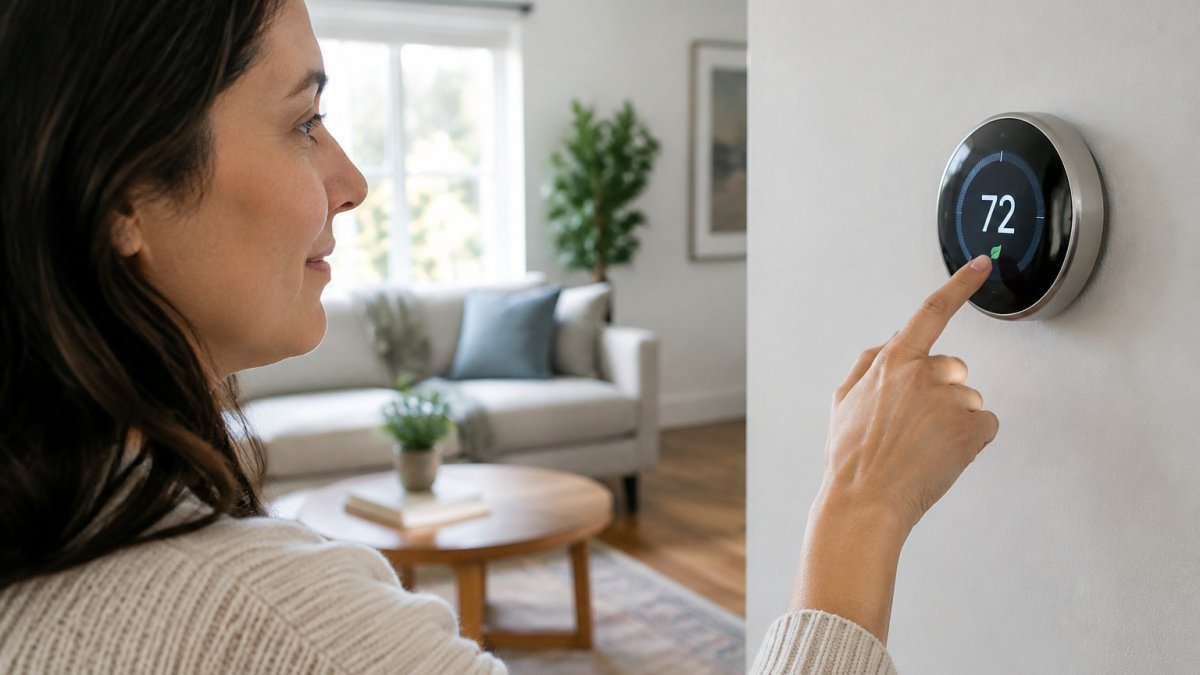
A smart thermostat is a wall-mounted controller that learns your schedule and adjusts heating and cooling automatically, and it can reduce the energy your HVAC system wastes when nobody is home or awake. The benefits of installing a smart HVAC thermostat start with that simple idea: stop conditioning empty rooms. Below, we'll show you what the savings actually look like, which drawbacks nobody mentions, and how a thermostat fits into a maintenance plan that protects the equipment itself.
Do Smart Thermostats Save Money? What the Numbers Show
Yes, smart thermostats save money, though the amount depends on your climate, your schedule, and how well your HVAC system runs. According to American Home Shield's summary of Google Nest data, Nest users report saving about 15% on cooling costs and 10% to 12% on heating costs. Those figures assume the system is in good working order. A thermostat cannot recover efficiency that a dirty coil or a failing compressor has already taken away.
Occupancy Setbacks and the Savings They Create
Occupancy setbacks do the heavy lifting. ENERGY STAR's smart thermostat guidance explains that these devices detect when occupants have left for the day and set back the HVAC system to save money on heating or air-conditioning bills. In practice, that means the system idles during your workday instead of holding 70 degrees for an empty house. The catch: setbacks only help if the schedule you program matches your actual routine.
Here is what the reported savings look like, and what they depend on.
| Item | Value | Note |
|---|---|---|
| Cooling cost savings | About 15% | Reported by Nest users |
| Heating cost savings | 10% to 12% | Reported by Nest users |
| Occupancy setbacks | Set back HVAC when occupants leave | Saves on heating or air-conditioning bills |
| Savings condition | System in good working order | Dirty coil or failing compressor cancels gains |
| Setback condition | Programmed schedule matches actual routine | Otherwise setbacks do not help |
The Disadvantages of Smart Thermostats Nobody Warns You About
The disadvantages of smart thermostats are mostly about setup, compatibility, and ongoing upkeep, not the hardware itself. Common setup concerns include wiring that doesn't match the new unit, Wi-Fi that drops in older homes, and apps that demand more attention than the old dial ever did. A few more honest drawbacks, with the mechanism behind each:
- Learning curves: during the first one to two weeks, the device builds a schedule from occupancy and manual adjustments, so you may see odd temperature swings until it settles. Expect to correct it a few times rather than once.
- Power requirements: many units need a C-wire to supply continuous low-voltage power. Homes without one need a wiring adapter, an add-a-wire kit, or a model that steals power from the existing circuit, and power-stealing designs can cause flickering or short-cycling on some systems.
- Firmware and software updates: the thermostat is a networked computer, so it receives firmware updates and app changes on the manufacturer's schedule, not yours. Updates can trigger a reboot, change the menu layout, or retire a feature you used. A common pattern is to check the app's release notes after an update and re-verify your schedule and setpoints.
- Sensor and battery upkeep: remote room sensors and battery-powered units report stale data when their batteries run down, which quietly defeats the occupancy setbacks you paid for. Put a reminder on your calendar to check them at each season change.
- Network dependency: cloud-connected models lose remote access and some learning features when the Wi-Fi or the manufacturer's service is unavailable. Local-only control still works, but the app does not.
None of these are dealbreakers. They are the reasons a professional install, a quick walkthrough, and a simple upkeep routine matter more than the box claims. Treat the device like any other connected gadget: keep its firmware current, change the default password on the account, and confirm your home network uses WPA2 or WPA3 encryption so the thermostat isn't the weakest link in your smart-home setup.
Do Smart Thermostats Work With Any HVAC System?
No, smart thermostats do not work with every HVAC system, though most standard forced-air setups are compatible. The exceptions show up in three places: heat pumps, zoned systems, and older wiring.
Heat Pumps, Zoning, and Older Wiring
Heat pumps need thermostats designed for auxiliary and emergency heat stages. A unit built for a gas furnace will run a heat pump poorly. Zoned systems with dampers and multiple thermostats need a controller that speaks to each zone. Older homes often lack the C-wire that powers a smart unit, which means either a wiring adapter or a different model. If your system is due for service anyway, it helps to know how often to service home HVAC systems before you buy hardware. A technician can confirm compatibility in one visit.
How Hard Is It to Install a Smart Thermostat?
Installing a smart thermostat is a moderate DIY job, roughly 30 to 60 minutes for a compatible system, and a job for a professional when wiring is unclear. The steps are straightforward:
- Kill power at the breaker and verify with a tester.
- Photograph the existing wire labels before removing anything.
- Label each wire to match the new base plate.
- Mount the base, connect wires, and snap on the unit.
- Restore power and run the setup wizard.
- Test heat, cool, and fan modes before you walk away.
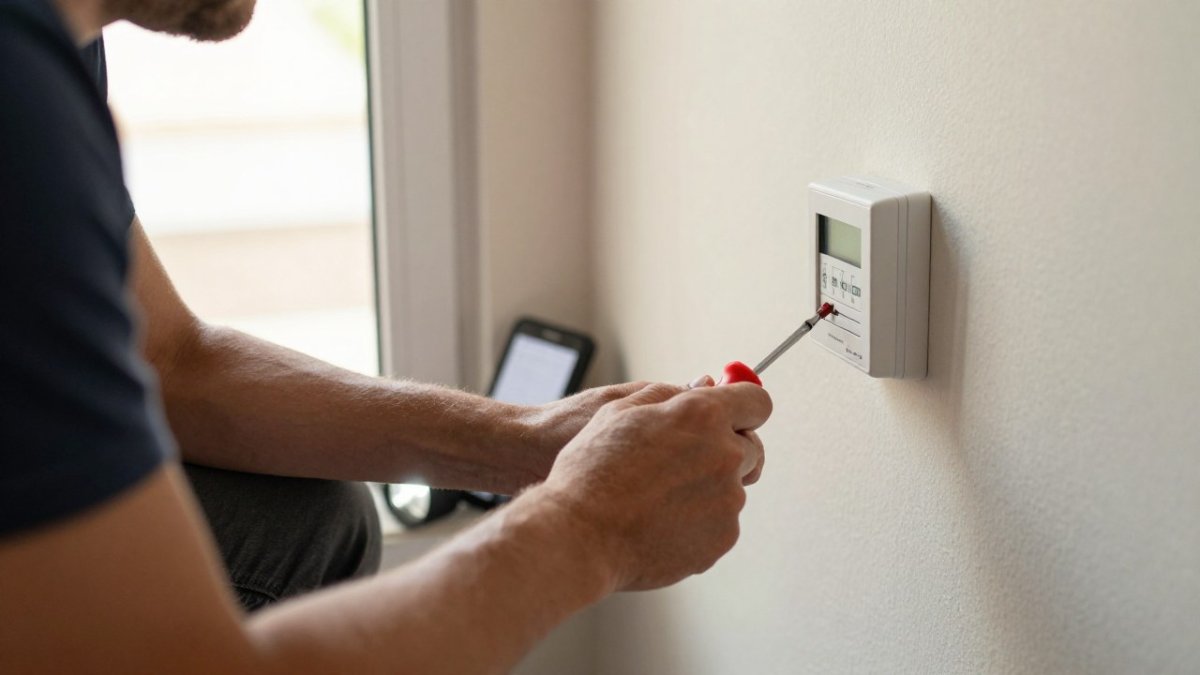
Watch out: mislabeling a single wire can short the control board, and that repair costs far more than the install. If you see bundled wires, no C-wire, or a heat pump, stop and call a pro. For homeowners who would rather not touch the wiring, our installation team handles the swap and the setup in one visit.
Where Smart Thermostats Fit Into a Proactive Home Maintenance Plan
A smart thermostat is one part of a proactive plan, not a replacement for it. The device manages runtime; it cannot clean a coil, test a capacitor, or flush a condensate line. Pair it with seasonal tune-ups and you get the savings the manufacturer advertises. Skip the tune-ups and the thermostat is optimizing a system that is quietly losing efficiency. Seasonal tune-up benefits go beyond comfort: they catch small failures before they become emergency calls, and they keep the equipment running at the efficiency your thermostat assumes. Think of the thermostat as the brain and the tune-up as the physical checkup.
What most guides miss is that a connected thermostat adds a second maintenance track, digital upkeep, that runs alongside the mechanical one. A practical cadence looks like this:
- Monthly: check the air filter and replace or rinse it per the manufacturer's interval, and glance at the thermostat app for any offline or error notices.
- Each season change: check remote sensor batteries, confirm the schedule still matches your routine, and install any pending firmware update before the heating or cooling season starts rather than mid-season.
- Twice a year: have the system professionally tuned, once before cooling season and once before heating season, with coil cleaning, condensate drain flush, capacitor and contactor check, and refrigerant charge verification where applicable.
- Annually: review the thermostat account's password and two-factor settings, confirm your router firmware is current, and verify the thermostat is on an encrypted network segment if your router supports one.
A common pattern is that homeowners blame the thermostat for comfort problems that trace back to a clogged filter, a failing blower, or a refrigerant leak. The device reports what the system does; it cannot fix what the system is. Budget for both tracks, the mechanical tune-ups and the small digital chores, and the advertised savings have a chance to show up on your bill. If you want to plan the spend, review what annual home maintenance costs before you book.
Book Your HVAC Tune-Up Before the Season Turns
The honest challenge is this: a smart thermostat will only deliver the savings on its label if the system behind it is healthy. Our membership handles that side of the equation with proactive seasonal tune-ups, flat-rate pricing, and one trusted team for every maintenance task, so you are not juggling contractors when the first cold snap hits. Members also receive digital service reports after each visit and priority scheduling. If you want to budget ahead, review what annual home maintenance costs before you book. Get started with Lone Eagle Home Services and put your HVAC system on a schedule that protects both comfort and equipment.
Frequently Asked Questions
Is there a downside to smart thermostats?
Yes. The main disadvantages of smart thermostats are cost, a learning curve, and dependence on your Wi-Fi and app. Some models need a C-wire that older homes lack, which means added installation work. Occupancy sensors can misfire in homes with irregular schedules, and a thermostat that loses its network connection may stop delivering remote control until it reconnects. Firmware updates also need attention, since an unpatched device is a small security gap. None of these are dealbreakers, but budget for the wiring check and pick a model that matches your HVAC equipment.
Do smart thermostats work with any HVAC system?
No. Most work with standard forced-air systems, but compatibility varies. Heat pumps often need a model rated for multi-stage heat pump control, and some systems with proprietary communicating wiring only accept the manufacturer's own thermostat. Homes with line-voltage electric baseboard heat need a different product entirely. Before buying, photograph your current thermostat's wiring terminals and check the model's compatibility list. A technician can confirm in a few minutes whether your system needs a C-wire or an adapter.
How hard is it to install a smart thermostat?
For a standard low-voltage system with a C-wire, installation is a 30 to 60 minute job: kill power at the breaker, label the wires, unscrew the old unit, mount the base plate, reconnect, and follow the app's setup steps. It gets harder without a C-wire, with a heat pump, or with a two-stage system. If you are unsure which wire controls what, stop and call a technician. Miswiring can blow a low-voltage fuse or damage the control board, which costs more than the install would have.
Do smart thermostats save money on heating as well as cooling?
Both, though the cooling savings tend to be larger. The mechanism is the same in either season: occupancy detection notices when the house is empty and sets the system back, then restores comfort before you return. Savings depend on your schedule, your utility rates, and how well the rest of the system is maintained. A thermostat cannot fix leaky ducts or a clogged filter.